Do you want to stand out while playing your favorite games? Having a unique roblox shirt is the best way to show off your personal style. Millions of players visit the avatar shop every day to find cool clothes. However, nothing feels better than wearing something you designed yourself. Making your own clothes is not just fun, it is also a great way to learn digital art. You can choose your favorite colors, add cool logos, or even make matching outfits for your friends. In this guide, we will walk you through everything you need to know to get started. We will keep things very simple so that anyone can follow along. By the end of this article, you will be ready to fill your inventory with amazing custom designs that look professional and stylish.
What is a Roblox Shirt and Why Should You Make One?
A roblox shirt is a special type of 2D image that wraps around your character’s torso and arms. Unlike basic t-shirts, which are just a simple image on the front, a full shirt covers the entire top half of your avatar. This allows for much more detail, like sleeve patterns and back designs. Creating your own clothes gives you total control over your look. You do not have to rely on what is currently trending in the catalog. Plus, if you are a member of a group, you can create a uniform that everyone can wear together. It is a fantastic way to express your creativity. Many players even start their own clothing brands within the game. It is a rewarding hobby that makes the gaming experience feel much more personal and exciting for everyone involved.
Essential Tools for Designing Your First Outfit
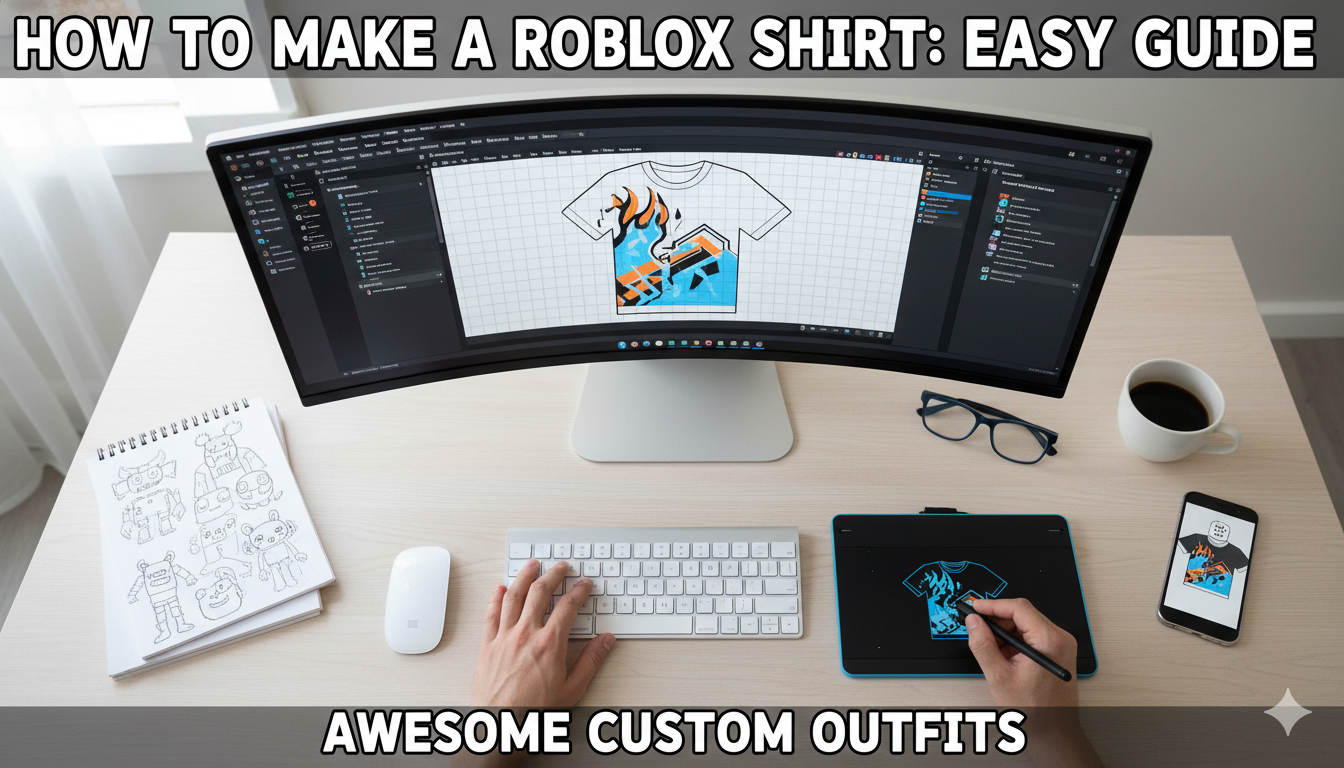
Before you start drawing, you need the right tools to make a high-quality roblox shirt. You do not need expensive software to do a great job. Many creators use free programs like Paint.NET, GIMP, or even Canva. If you are using a tablet, apps like Ibis Paint X are very popular and easy to use. The most important thing is that your software allows you to work with layers. Layers let you put colors behind your lines so you do not messy up the template. You will also need a steady internet connection to download the official layout and upload your finished work. Having a mouse or a stylus can help you draw straighter lines and better details. Once you have these tools ready, you are halfway to becoming a master clothing designer in the metaverse.
Understanding the Official Clothing Template
To make a roblox shirt that fits perfectly, you must use the official template. This template is a 585 by 559 pixel image that shows exactly where the front, back, and sides of the shirt go. It looks like a folded-out box. Each section is color-coded so you know which part goes on the arms and which part goes on the chest. If you paint outside these lines, your shirt might look blurry or broken when you put it on. It is very important to keep your design inside the colored boxes. Most experts recommend keeping the template on a top layer so you can see the borders while you work. Understanding this layout is the secret to making clothes that look like they were made by a pro. Without the template, your outfit simply won’t work.
Step-by-Step Instructions to Create Your Design
Ready to start? First, download the template from the “Create” section of the website. Open it in your photo editor. Create a new layer underneath the template lines. Choose a base color for your roblox shirt and fill in the large squares. Next, add some cool details like buttons, a collar, or a logo on the chest. Don’t forget the sleeves! You can make them long or short depending on your style. If you want a hoodie look, you can draw a pocket on the front. Use the zoom tool to make sure your lines are clean and sharp. When you are happy with the look, hide the template layer so only your art is visible. Save your file as a PNG to keep the quality high. Now you are ready to move on to the uploading phase.
Complete Details for Roblox Clothing Creation
| Feature | Requirement / Detail |
| Template Size | 585 x 559 Pixels |
| File Format | PNG or JPG (PNG is better) |
| Upload Cost | 10 Robux per upload |
| Membership | Not required to upload, but needed for some features |
| Transparency | Supported (Great for ripped designs or lace) |
| Review Time | Usually 1 to 2 hours for moderation |
How to Upload and Test Your New Clothes
After saving your file, go to the “Create” tab on the Roblox website. Click on “Avatar Items” and select the “Shirts” category. Click the upload button and find your saved roblox shirt file. You will need to give your creation a name and a short description. Remember, it costs 10 Robux to upload a shirt to the platform. This fee helps keep the catalog clean from spam. Once you upload it, the moderation team will check it to make sure it follows the rules. This usually takes a little bit of time. While you wait, you can go to the Avatar Editor and see if it shows up in your inventory. Testing your shirt is important because sometimes colors look different in the game world than they do in your editor.
Pro Tips for Making High-Quality Designs
To make your roblox shirt look amazing, try adding shading. Shading makes the fabric look real and 3D. You can find “shading templates” online to overlay on your work. This adds shadows under the arms and highlights on the shoulders. Also, try to use colors that match well together. Using a color wheel can help you find shades that look great. Another tip is to look at real-life clothes for inspiration. If you see a cool shirt at the mall, try to recreate it in the game! High-quality designs often have small details like stitching or fabric textures. These little touches make players want to buy your clothes. Practice makes perfect, so do not worry if your first few tries are not perfect. Keep experimenting and having fun.
How to Sell Your Creations in the Catalog
If you are proud of your roblox shirt, you can sell it to other players! To do this, go to the item in your “Develop” tab and click “Configure.” Turn on the “On Sale” switch and set a price. The minimum price for a shirt is usually 5 Robux. When someone buys your shirt, you get a portion of the Robux, and the platform keeps a small fee. Selling clothes is a great way to earn currency for your own games. To get more sales, make sure your shirt has a catchy name and relevant tags. You can even create a “Clothing Group” to build a brand. Tell your friends about your new designs and ask them to check them out. With a little bit of marketing, your designs could become very popular.
Following the Rules and Community Guidelines
When making a roblox shirt, you must follow the community rules. This means no inappropriate images, no mean words, and no using brands you don’t own. If you break these rules, your shirt will be deleted, and you might lose your Robux fee. Sometimes, your account could even be warned. It is always best to be original and creative. Avoid copying other people’s designs exactly. Instead, use them as inspiration to make something new. Also, make sure your design is not too messy. Clear and clean designs are much more likely to pass moderation quickly. By being a helpful and respectful creator, you help keep the community safe and fun for everyone. This ensures your items stay in the shop for a long time.
Frequently Asked Questions
1. Can I make a roblox shirt for free?
Creating the design is free, but you must pay 10 Robux to upload it to the servers.
2. Do I need Premium to make clothes?
No, you do not need a Premium subscription to upload or sell your designs anymore.
3. Why is my shirt invisible or gray?
This usually means your shirt is still being checked by the moderation team. Wait an hour or two.
4. What is the difference between a shirt and a t-shirt?
A t-shirt is just a small image on the front. A shirt covers the entire torso and arms.
5. Can I delete a shirt I uploaded?
You cannot delete it forever, but you can take it off-sale so no one else can buy it.
6. Can I make clothes on my phone?
Yes! You can use mobile drawing apps and upload the file through a web browser.
Conclusion: Start Your Design Journey Today
Making your very own roblox shirt is one of the most rewarding things you can do in the game. It allows you to express your identity and even earn some Robux along the way. We have covered how to find a template, which tools to use, and how to upload your finished art. Remember to keep practicing and look at other successful designers for inspiration. The more you create, the better you will get at digital art. Don’t be afraid to try bold colors or unique patterns that nobody has seen before. Now that you have all the knowledge, it is time to open your favorite editor and start drawing. We can’t wait to see what amazing outfits you bring to the community. Happy designing and see you in the game!